



Any SEO expert that ever crawled a large website has faced this dilemma. When the audit is done and you’re left with a huge table of broken internal links – how should you present that to the client?
Most SEOs do one of the two:
- either export everything into a massive CSV table and send it to the client, hoping that the website admin or developer can make sense of it and start making fixes
- or, reduce the full table into smaller sample lists that cover the most egregious issues, but leave out the majority of the internal link relationships.
The first method relies heavily on the client’s team to make sense of the audit and the massive table of inlinks, while the second approach may lead to faster but incomplete resolution.
While both are standard practices among SEO consultants, we have never been truly comfortable with either. So we went a step or two further to make our technical SEO audits more readable and actionable, ultimately leading to greater issue resolution, easier workflow for all teams involved, and generally better client relationships.
Here’s our process with one massive e-commerce site as an example:
It all starts with a Screaming Frog SEO spider crawl
For this site, the crawl ran for about 35 hours. Among other issues and exports, we pulled out a CSV of all link relationships on the website. That CSV was about 20GB large, with 50 million rows (yikes!). We wouldn’t want to burden the client’s team with downloading and unpacking such a huge table; those folks should be busy fixing the website, not figuring out how to work with massive CSVs.
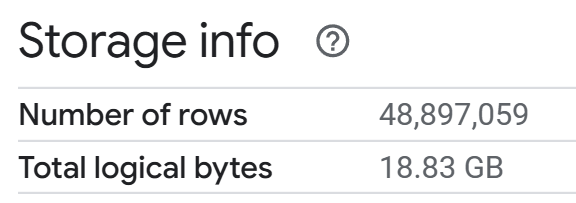
Removing the burden of handling a massive dataset
So instead, we uploaded the file with all link relationships to Google Cloud Storage and then into BigQuery. The BQ file size limit is 100MB, so our 20GB file had to go to Storage first.
One important note when loading the default Screaming Frog export CSV into a BigQuery table – it won’t work with the default Create table settings; you’ll get an error message. You have to make these 4 changes under Advanced options:
- Schema = Auto detect ON
- Column name character map = V2
- Header rows to skip = 1
- Quoted newlines = Check
- Jagged rows = Check
We did some minor transformations in BigQuery, just cleaning a few fields and removing ones that aren’t needed, saving the output as a BQ View table.
The Dashboard
Finally, we built a quick but comprehensive Data Studio dashboard to not just visualize the data, but as a functional tool for the client’s web team to work with. They could easily select all inlinks with specific issues, like 5xx and 4xx errors, redirects, empty category pages, or discontinued products.
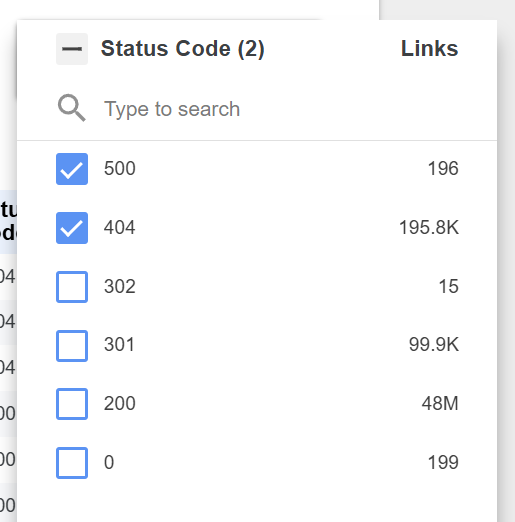
Status code filter
We even went a step further and prepared a companion document with pre-filtered links to the dashboard containing complex RegEx filters. For example, URL paths containing the double slash (https?://.*//.*), any non-ASCII characters (.*[^\x00-\x7F].*), or diacritical characters specifically (.*[ČčĆćĐ𩹮ž].*), and even repeated folder paths – that needed to be manually generated with their specific folders because of the RE2 RegEx limitations.
Just remember to enable “view filters in report link” in the Data Studio report settings.
The dashboard workflow is simple, yet it reveals all instances of a particular issue found in the crawl.
First, use the filters to focus on a specific linking error → the first table lists all the link destination URLs that match selected filters.
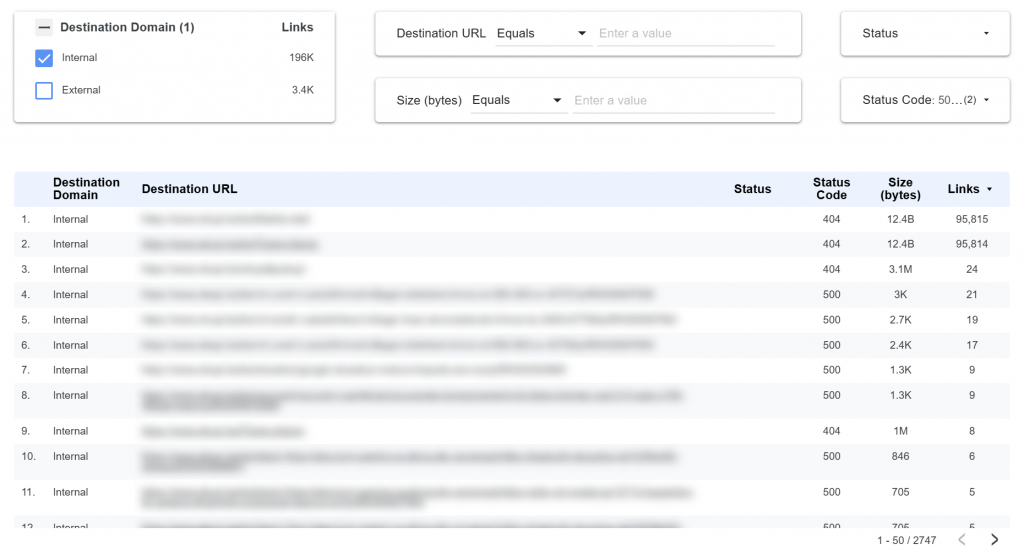
Filter the issue → see every affected destination URL
Then click any of those rows and see the table below which reveals all the pages linking to that URL, and exactly in which on-page elements is the link located. Also, the anchor text, and whether the link is found in the initial HTML, JS-rendered page, or both.
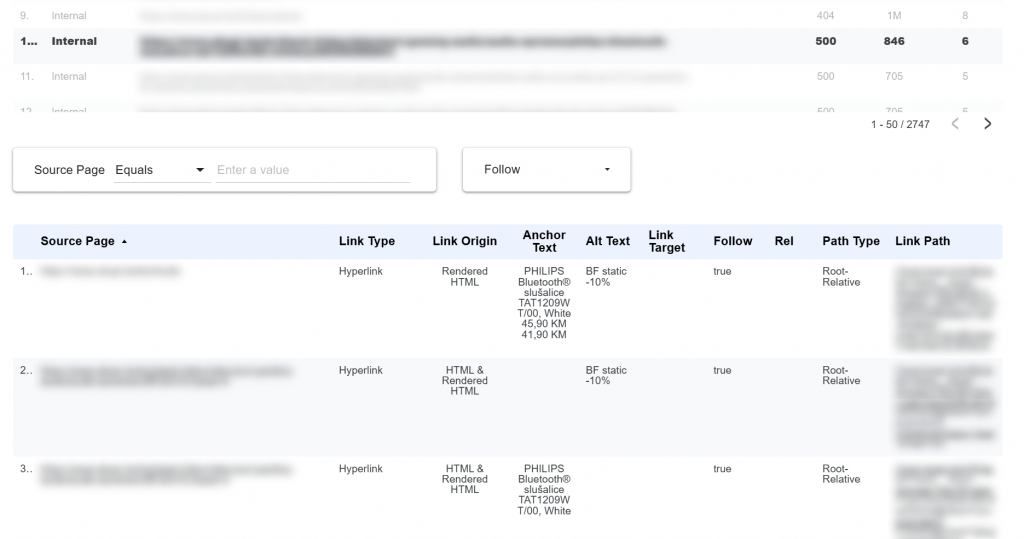
Click a destination URL → get the exact source pages, placement, and anchor text that need fixing
Finally, since this table also contains internal links to all assets, not just web pages, the same dashboard can be used to find oversized images, ZIP files or PDFs on the website. Handy isn’t it?
Why this matters
We hope this inspires other SEOs to put less pressure on their client’s internal teams and make it as easy as possible for them to work with the SEO audit findings. Technical SEO is difficult enough; a consultant’s job is not to give the client a headache, but to reduce friction and drive action leading to meaningful improvements.
Learn more about our approach to SEO and discover how we help businesses stand out online.
